Meal Delivery & Pickup
Overview
Meal Delivery/Pickup manages satellite delivery forms between central kitchen sites and satellite centers. Sponsors and Centers/ICs use these forms to track food shipments, record temperatures, and capture signatures at departure and receipt.
Each form is called a "Satellite Form." It holds items shipped (bulk, pre-plated, or additional), departure/receiving timestamps, comments, and e-signatures from both parties.
Related report: Pickup & Delivery Tracking Satellite Report
Permissions
| Role | Access | Notes |
|---|---|---|
| Sponsor Admin | Yes | Full access |
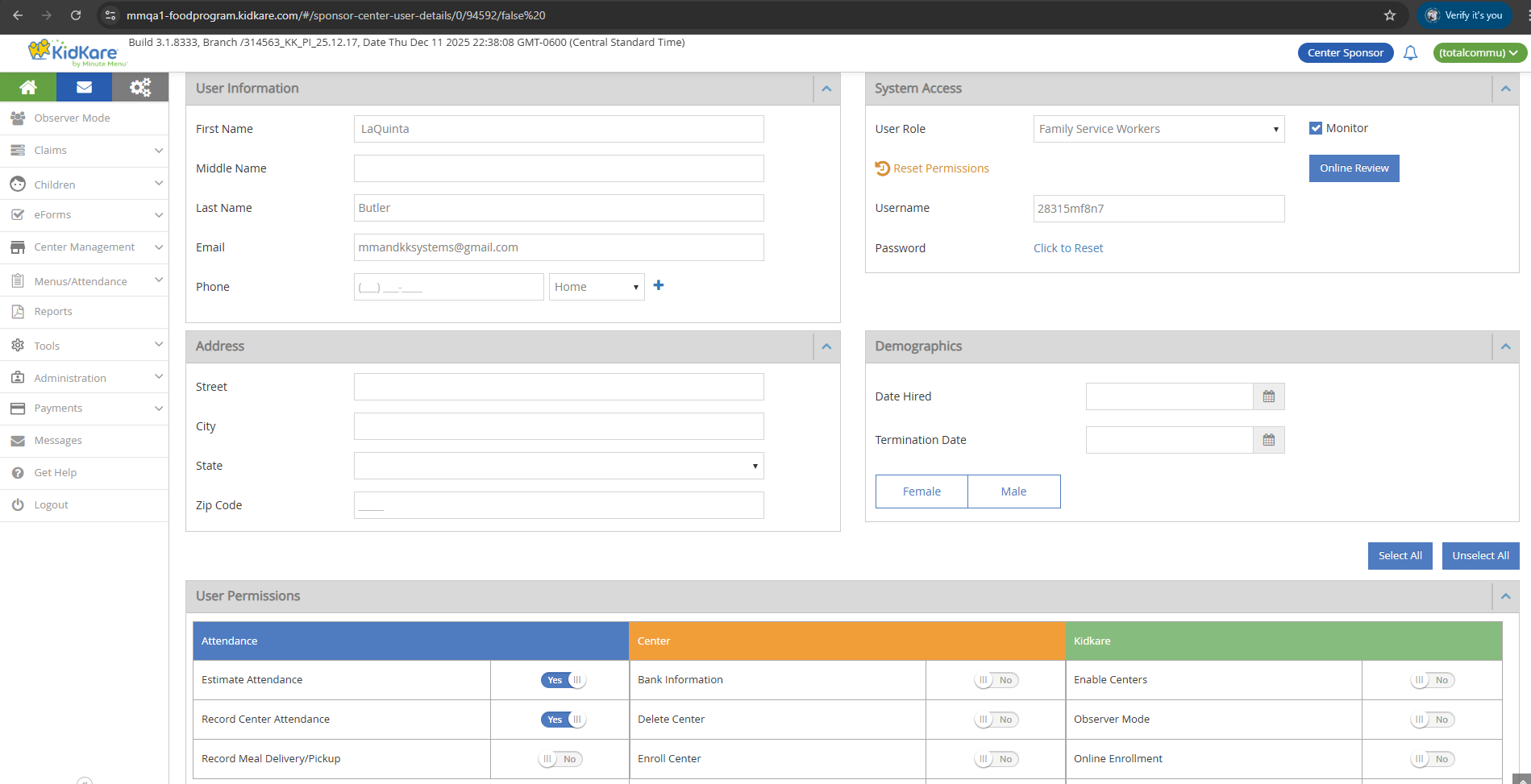
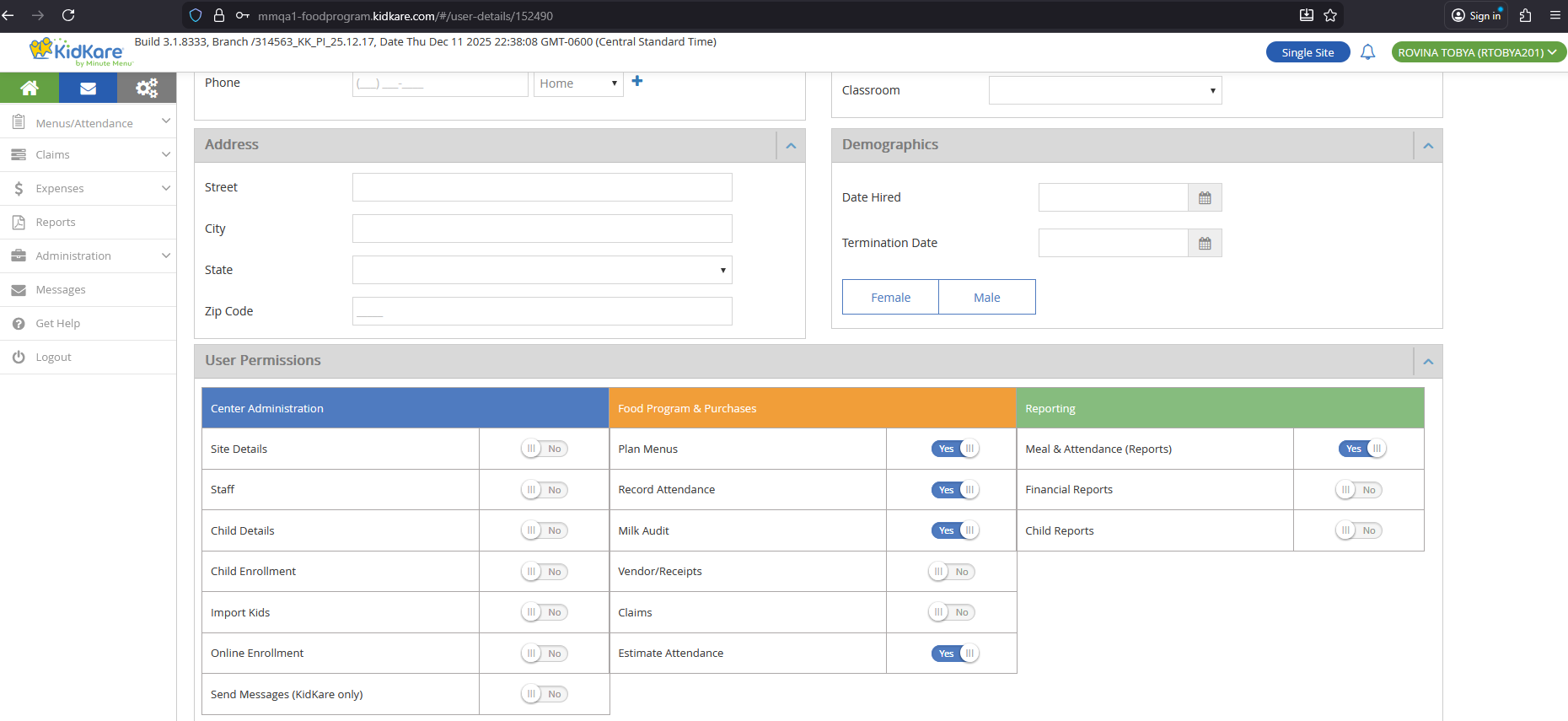
| Sponsor Staff (Record Meal Delivery/Pickup = Y) | Yes | Permission must be enabled |
| Sponsor Staff (Record Meal Delivery/Pickup = N) | No | Cannot access the page |
| Center Admin | Yes | Full access |
| IC Admin | Yes | No 'Record Meal Delivery/Pickup' permission check for IC |
Sub-menu visibility
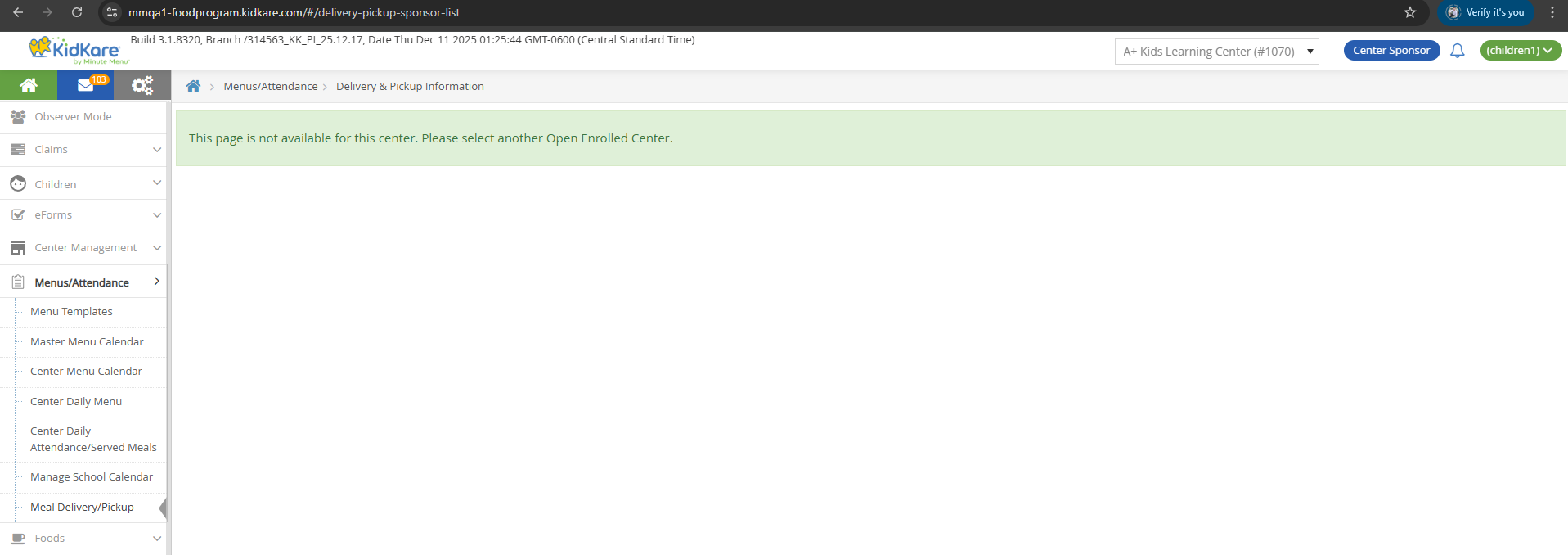
The Meal Delivery/Pickup sub-menu always displays for sponsors, even if the sponsor has no SFSP/ARAS centers. If a Regular Center is selected, a message appears: "This page is not available for this center. Please select another Open Enrolled Center."
List Page
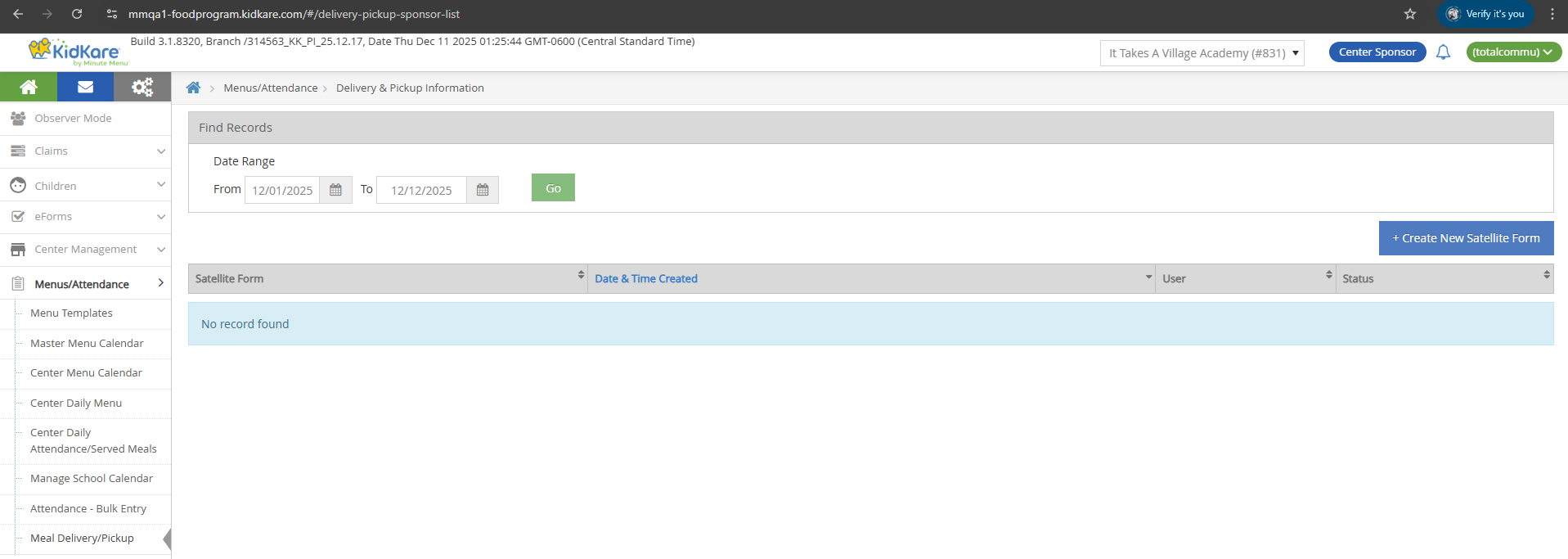
- Sponsor URL:
/#/delivery-pickup-sponsor-list - Breadcrumb: Menus/Attendance > Delivery & Pickup Information
Date Range
| Field | Default Value |
|---|---|
| From | 1st of the current month |
| To | Current date |
Users can select or type a date in both fields.
Create New Satellite Form
Click the Create New Satellite Form button to open the create page.
Table Columns
| Column | Description | Format |
|---|---|---|
| Satellite Form | Form name | Satform_{Month}_{dd}_{order} (e.g., Satform_Dec_22_1, Satform_Dec_22_2) |
| Date & Time Created | When the form was created | mm/dd/yyyy hh:mm AM/PM |
| User | Creator name | {STAFF.first_name} {STAFF.last_name} |
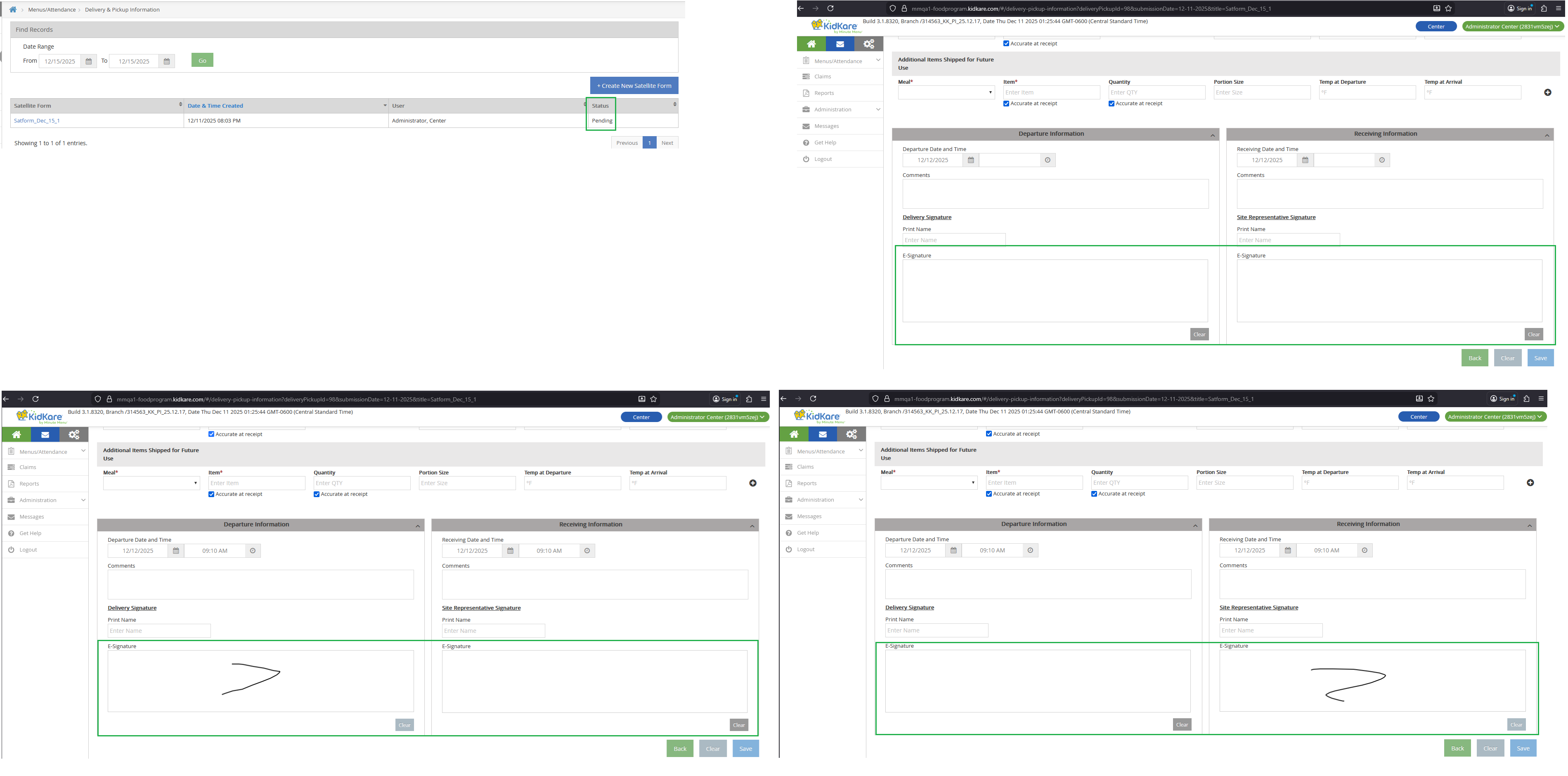
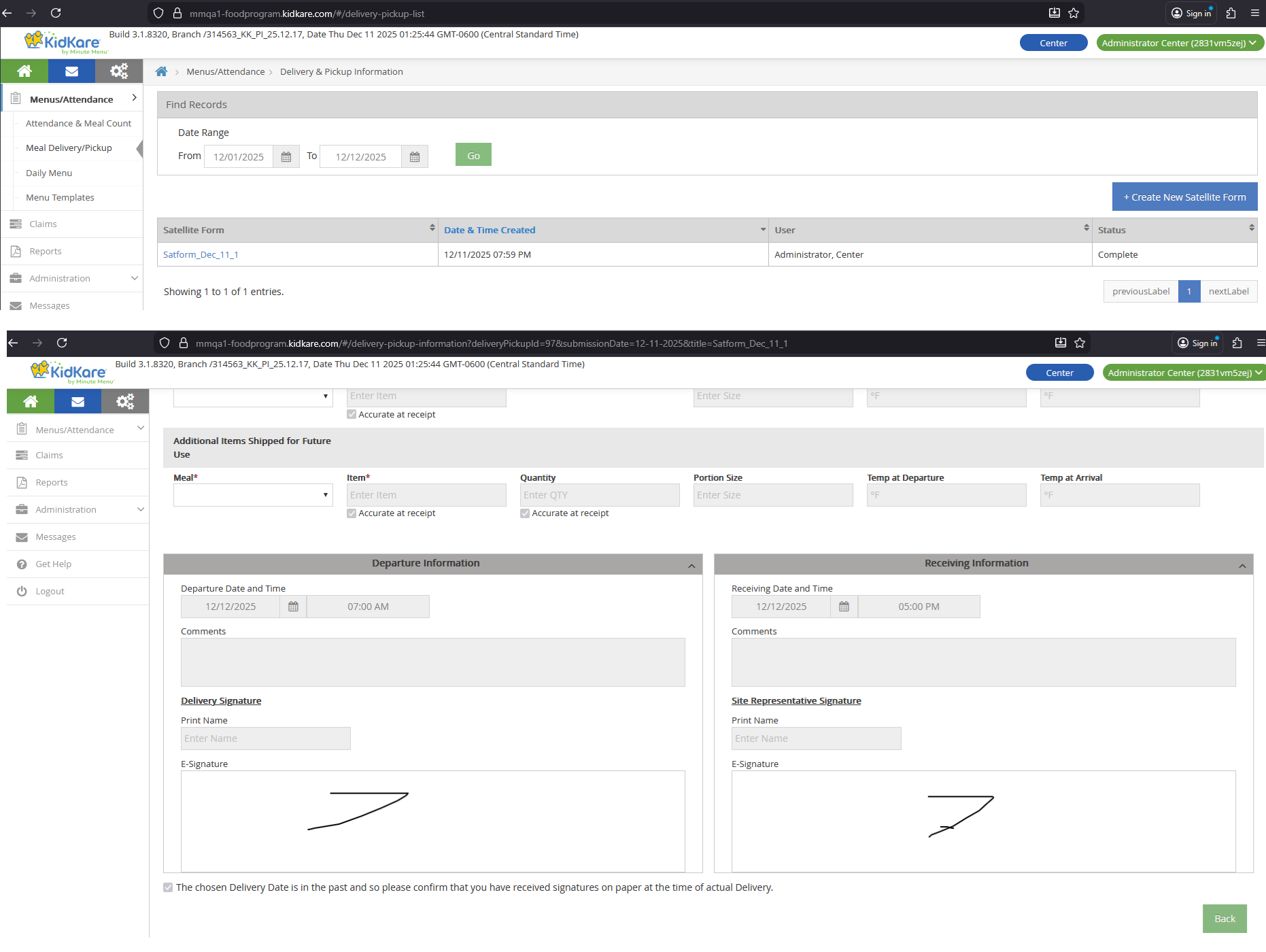
| Status | Current state | Pending or Complete |
Status Logic
| Status | Condition |
|---|---|
| Pending | Form has 0 or 1 signatures (not locked) |
| Complete | Form has 2 signatures (locked) |
Sorting and Pagination
- Default sort: Descending by Submission Date, then by Date & Time Created
- Page size: 10 records per page
- Navigation: Previous / Next buttons
- Display: "Showing {x} to {y} of {z} entries"
Database Tables
Data loads from SFSP_DELIVERY_PICKUP and SFSP_DELIVERY_PICKUP_ITEM.
Create / Edit Form
URLs
| Action | URL Pattern |
|---|---|
| Create (Sponsor) | /#/delivery-pickup-information?center={center_id} |
| Edit (Sponsor) | /#/delivery-pickup-information?deliveryPickupId={id}¢er={center_id}&submissionDate={mm-dd-yyyy}&title=Satform_{Month}_{dd}_{order} |
| Edit (Center/IC) | /#/delivery-pickup-information?deliveryPickupId={id}&submissionDate={mm-dd-yyyy}&title=Satform_{Month}_{dd}_{order} |
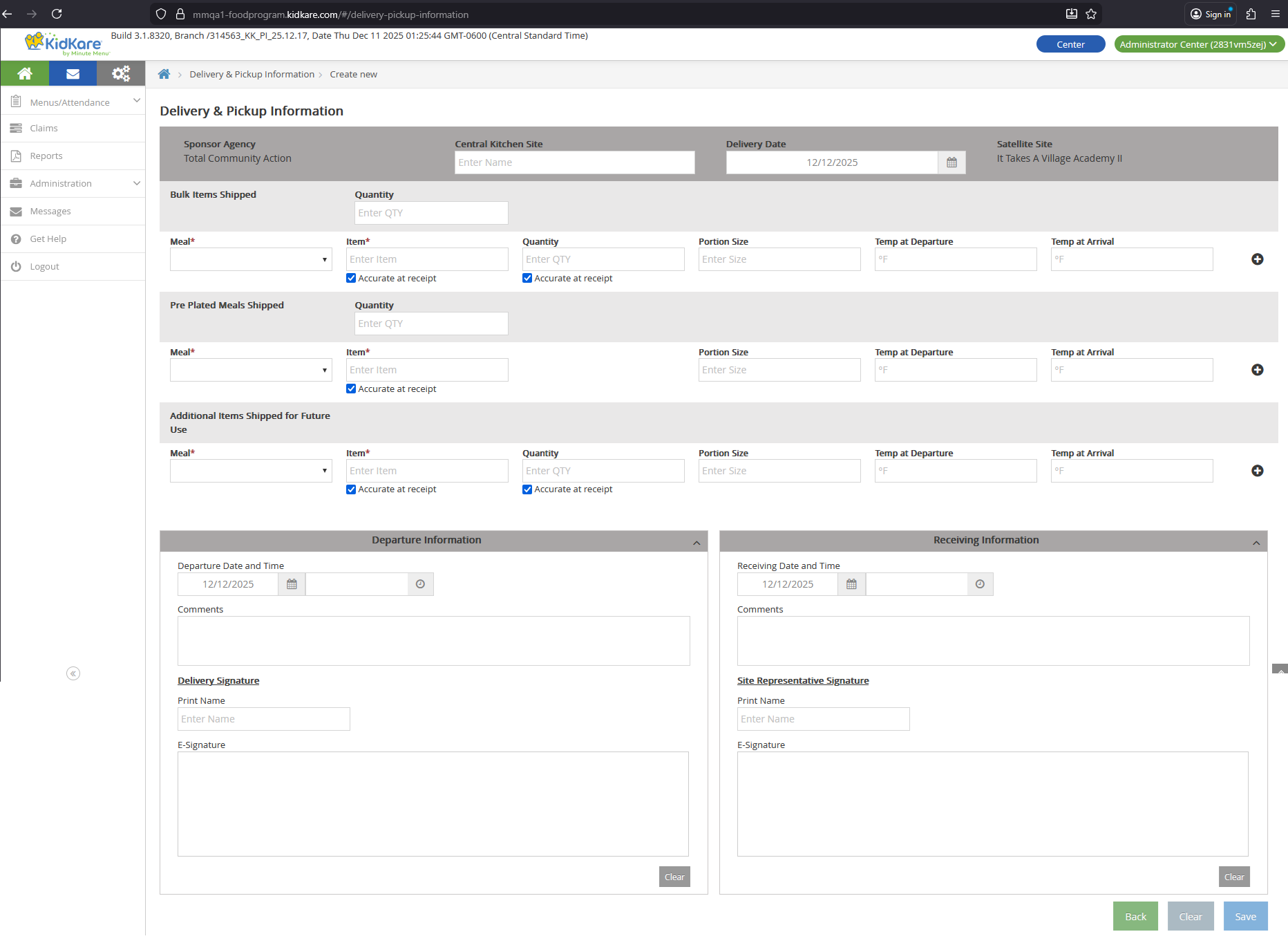
- Create breadcrumb: Delivery & Pickup Information > Create new
- Edit breadcrumb: Delivery & Pickup Information > Satform_{Month}{dd}
The global Center dropdown is hidden on the create/edit page.
Header Fields
| Field | Editable | Source |
|---|---|---|
| Sponsor Agency | Read-only | CLIENT.legal_name |
| Central Kitchen Site | Yes | SFSP_DELIVERY_PICKUP.center_kitchen_site |
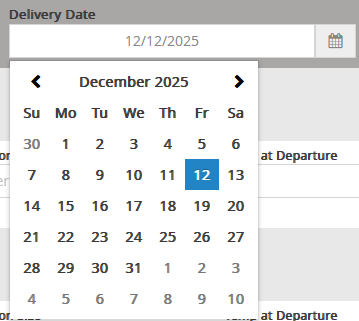
| Delivery Date | Yes (defaults to current date) | SFSP_DELIVERY_PICKUP.submission_date |
| Satellite Site | Read-only | CENTER.center_name |
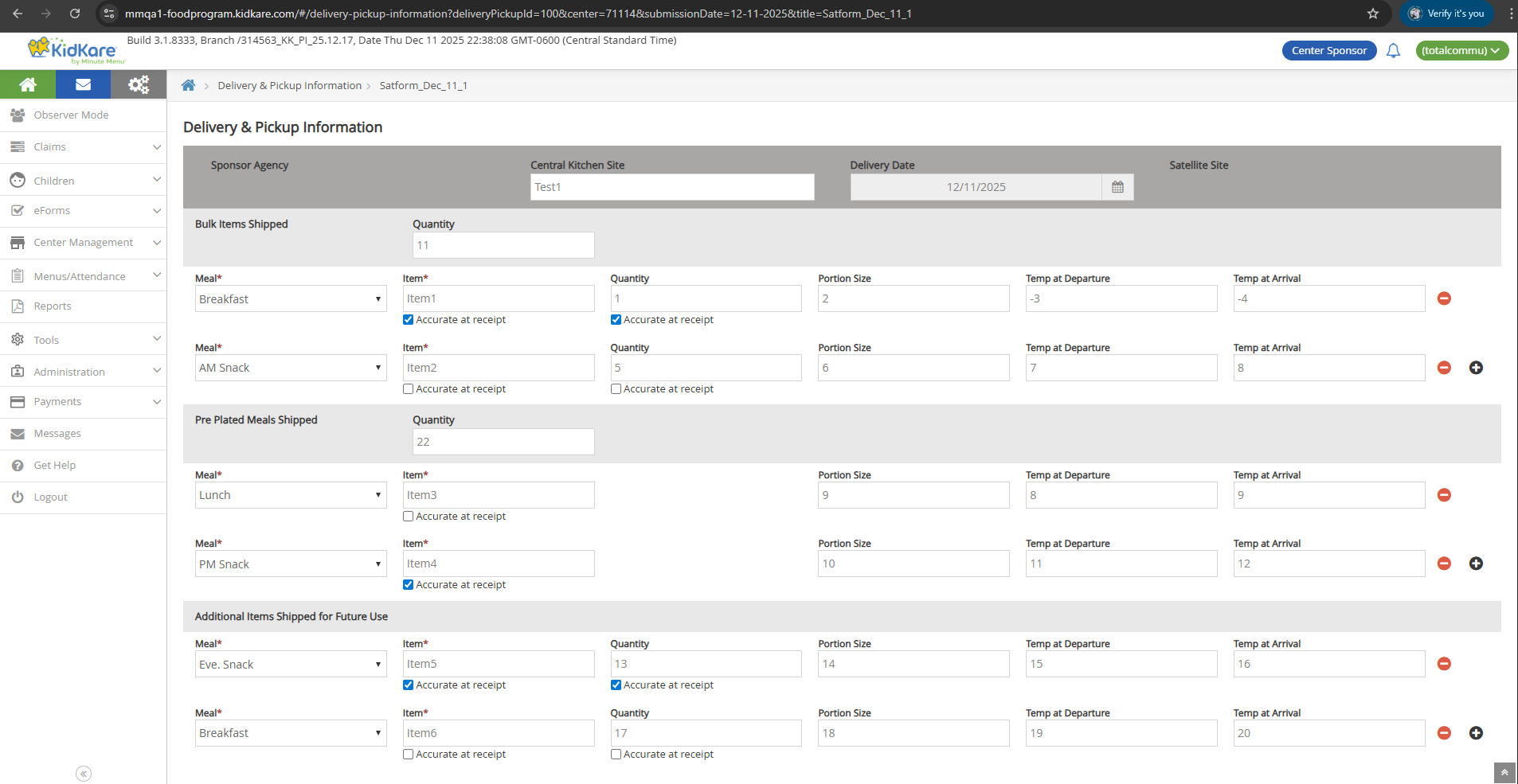
Bulk Items Shipped
Database: SFSP_DELIVERY_PICKUP_ITEM.item_type = 2255
| Field | Input | Validation | DB Column |
|---|---|---|---|
| Quantity | Text | -- | SFSP_DELIVERY_PICKUP.bulk_item_quantity |
| Meal* | Single select | Required. Options: Breakfast, AM Snack, Lunch, PM Snack, Dinner, Eve. Snack | SFSP_DELIVERY_PICKUP_ITEM.meal_code |
| Item* | Text | Required | SFSP_DELIVERY_PICKUP_ITEM.item |
| Accurate at receipt (Item) | Checkbox | 1 = selected, 0 = deselected | SFSP_DELIVERY_PICKUP_ITEM.item_accurate |
| Quantity | Text | -- | SFSP_DELIVERY_PICKUP_ITEM.quantity |
| Accurate at receipt (Qty) | Checkbox | 1 = selected, 0 = deselected | SFSP_DELIVERY_PICKUP_ITEM.quantity_accurate |
| Portion Size | Text | -- | SFSP_DELIVERY_PICKUP_ITEM.portion_size |
| Temp at Departure | Number | Numbers only, max 999999999, min -99999999 | SFSP_DELIVERY_PICKUP_ITEM.temp_departure |
| Temp at Arrival | Number | Numbers only, max 999999999, min -99999999 | SFSP_DELIVERY_PICKUP_ITEM.temp_arrival |
Row controls:
- + icon: Adds a new blank row. Only appears on the last row.
- - icon: Removes the row. Hidden when only one row exists.
Pre-Plated Meals Shipped
Database: SFSP_DELIVERY_PICKUP_ITEM.item_type = 2256
Same fields and behavior as Bulk Items Shipped. The quantity field maps to SFSP_DELIVERY_PICKUP.plated_meal_quantity.
Additional Items Shipped for Future Use
Database: SFSP_DELIVERY_PICKUP_ITEM.item_type = 2257
Same fields and behavior as Bulk Items Shipped.
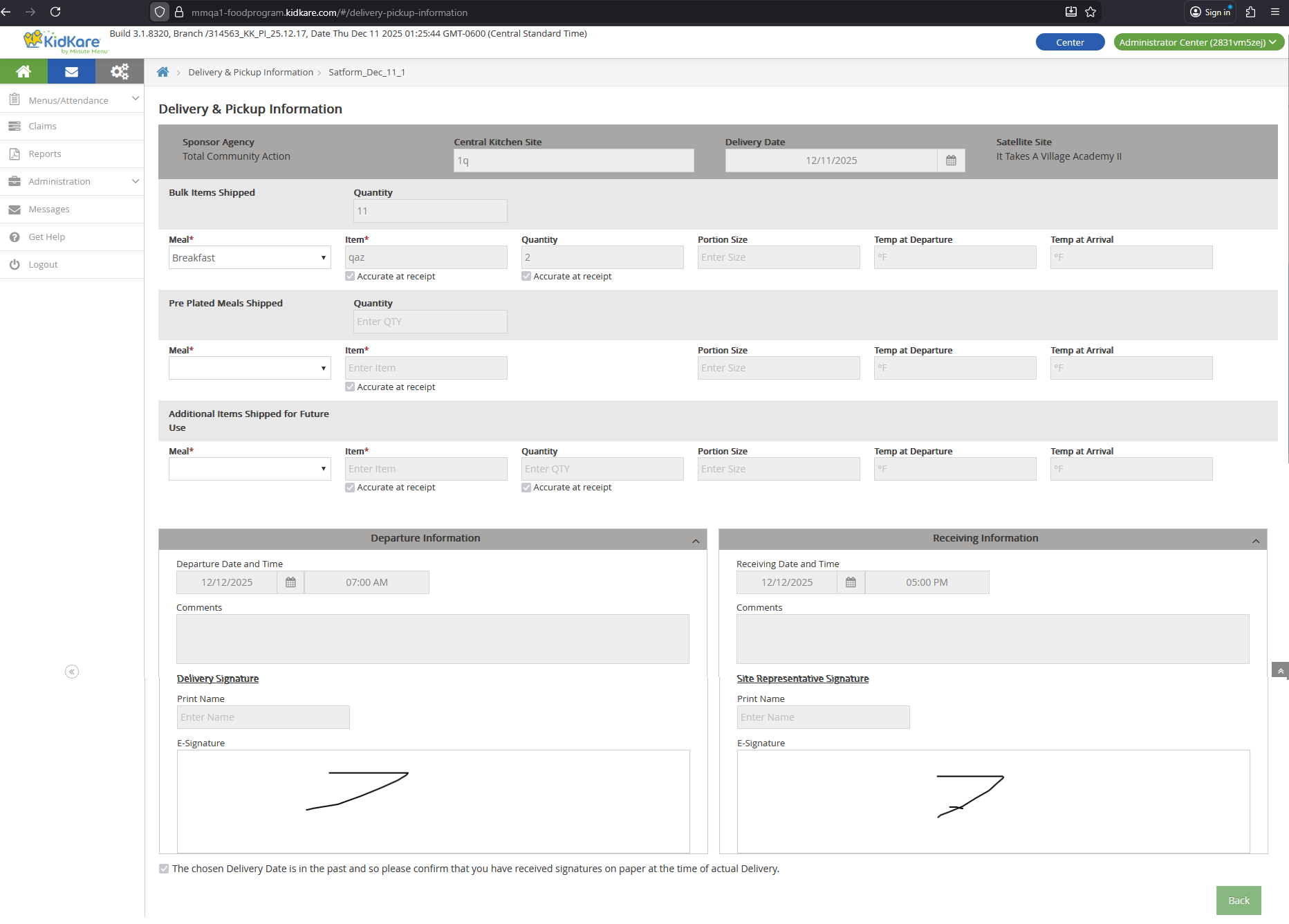
Departure Information
| Field | Input | Validation | DB Column |
|---|---|---|---|
| Departure Date | Date picker | Future days disabled | SFSP_DELIVERY_PICKUP.departure_datetime |
| Departure Time | Time picker | -- | (same column as date) |
| Comments | Text | Max 500 characters | SFSP_DELIVERY_PICKUP.departure_comment |
| Print Name | Text | Max 100 characters | SFSP_DELIVERY_PICKUP.departure_print_name |
| E-Signature | Mouse signing pad | -- | SFSP_DELIVERY_PICKUP.departure_esignature_id |
Clear button: Removes the current e-signature drawing without saving.
Receiving Information
| Field | Input | Validation | DB Column |
|---|---|---|---|
| Receiving Date | Date picker | Future days disabled | SFSP_DELIVERY_PICKUP.receiving_datetime |
| Receiving Time | Time picker | -- | (same column as date) |
| Comments | Text | Max 500 characters | SFSP_DELIVERY_PICKUP.receiving_comment |
| Print Name | Text | Max 100 characters | SFSP_DELIVERY_PICKUP.receiving_print_name |
| E-Signature | Mouse signing pad | -- | SFSP_DELIVERY_PICKUP.receiving_esignature_id |
Clear button: Removes the current e-signature drawing without saving.
Past Date Checkbox
A checkbox with the text "The chosen Delivery Date is in the past..." controls past-date acknowledgment.
| Delivery Date | Checkbox Behavior |
|---|---|
| Current date or future | Hidden |
| Past date | Displayed, selected, and disabled |

Database: SFSP_DELIVERY_PICKUP.is_agreed_on_past_delivery_date
Form Buttons
| Button | Behavior |
|---|---|
| Back | Returns to the list page |
| Clear | Resets all fields without saving |
| Save | Saves all data and shows a confirmation toast |

Lock / Unlock Logic
| Signatures | State | Behavior |
|---|---|---|
| 0 or 1 | Unlocked | All fields are editable. Add (+), Clear, and Save buttons are visible. |
| 2 | Locked | All fields are disabled. Add (+) icon, Clear buttons (e-signature and form), and Save button are hidden. |
Locked forms cannot be edited
Once both the Delivery Signature and Site Representative Signature are saved, the form locks. No further changes are possible through the UI.
Sponsor vs Center/IC Differences
| Aspect | Sponsor | Center / IC |
|---|---|---|
| Permission check | Requires 'Record Meal Delivery/Pickup' = Y | No permission check for IC |
| Create URL | Includes center={center_id} param |
Includes center={center_id} param |
| Edit URL | Includes center={center_id} param |
No center param |
| Sub-menu visibility | Always visible (even without SFSP/ARAS centers) | Always visible |
DB Reference
SFSP_DELIVERY_PICKUP
| UI Field | DB Column |
|---|---|
| Central Kitchen Site | center_kitchen_site |
| Delivery Date | submission_date |
| Bulk Items Quantity | bulk_item_quantity |
| Pre-Plated Meals Quantity | plated_meal_quantity |
| Departure Date and Time | departure_datetime |
| Departure Comments | departure_comment |
| Departure Print Name | departure_print_name |
| Departure E-Signature | departure_esignature_id |
| Receiving Date and Time | receiving_datetime |
| Receiving Comments | receiving_comment |
| Receiving Print Name | receiving_print_name |
| Receiving E-Signature | receiving_esignature_id |
| Past Date Acknowledgment | is_agreed_on_past_delivery_date |
SFSP_DELIVERY_PICKUP_ITEM
| UI Field | DB Column |
|---|---|
| Item Type | item_type (2255 = Bulk, 2256 = Pre-Plated, 2257 = Additional) |
| Meal | meal_code |
| Item | item |
| Accurate at receipt (Item) | item_accurate |
| Quantity | quantity |
| Accurate at receipt (Qty) | quantity_accurate |
| Portion Size | portion_size |
| Temp at Departure | temp_departure |
| Temp at Arrival | temp_arrival |